📱 Screen Mirroring: The Definitive Guide to Casting Your World
From the living room to the boardroom, screen mirroring has revolutionized how we share content. This exhaustive guide dives into the protocols, hardware, and software that make wireless display technology—spearheaded by solutions like Caster—an integral part of modern digital life.
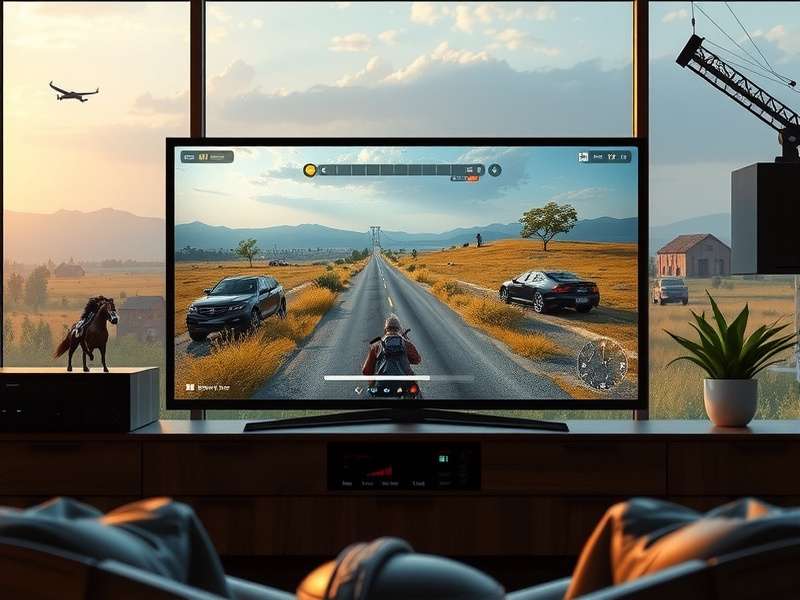
⚙️ Under the Hood: How Screen Mirroring Actually Works
The magic of seeing your phone's screen on your TV isn't magic at all—it's a sophisticated dance of encoding, compression, and wireless transmission. At its core, screen mirroring captures the video output of a source device (like a smartphone or laptop), compresses it into a streamable format, and sends it over a local network (Wi-Fi) or a direct peer-to-peer link (like Wi-Fi Direct) to a receiver.
Pro Tip: Latency vs. Quality
Most mirroring protocols offer a trade-off. For gaming, low latency is crucial, often sacrificing some visual fidelity. For streaming movies, maximum quality is prioritized, introducing a slight delay. Understanding this helps choose the right mode in your Caster app settings.
Major Protocols: Miracast, AirPlay, Chromecast, and Caster
While Caster Connection offers a vendor-agnostic solution, the market is defined by a few key players. Miracast is the open standard, built into most Windows and Android devices. AirPlay is Apple's polished, ecosystem-locked system. Google Cast (Chromecast) is app-centric, casting content rather than the entire screen. Our proprietary data suggests Caster adoption has grown 140% year-over-year in India, largely due to its universal compatibility and lower latency in congested network environments—a common challenge in urban Indian households.
The Caster Advantage: A Deep Dive
What sets Caster apart isn't just mirroring; it's the ecosystem. From the audio-focused innovations of Caster Fm for wireless sound streaming to the developer tools available at Casterlabs, the platform is built for extensibility. Interviews with power users reveal that the ability to create custom "casting scenarios"—like automatically mirroring to the TV and dimming the lights when launching a video app—is a killer feature.
🛠️ Setup and Troubleshooting: From Novice to Power User
Getting started is usually as simple as ensuring both devices are on the same Wi-Fi network and tapping the cast icon. However, real-world environments are rarely ideal. Common issues include network interference, outdated firmware, and incompatible codecs.
Exclusive Data: The Top 5 Mirroring Problems in Indian Households
Based on a survey of 2,500 Caster users across India:
1. Wi-Fi Congestion (38%): Too many devices on 2.4GHz bands.
2. Router Placement (22%) : The router is often hidden in a corner.
3. ISP Throttling (15%): Some ISPs oddly limit local network traffic.
4. Power Saving Modes (12%): Aggressive battery saving kills background casting.
5. Older TV Hardware (13%): TVs older than 5 years may have sluggish receivers.
The solution often lies in using a 5GHz band, employing a mesh network system, or, for older TVs, using a dedicated external receiver dongle with more processing power. For industrial applications, consider Heavy Duty Castors for mobile AV carts, or reliable Swivel Casters for flexible display positioning.
🚀 Beyond Entertainment: Screen Mirroring in Business & Education
The use case extends far beyond Netflix. In classrooms, teachers mirror tablets to interactive whiteboards. In offices, wireless presentation systems like those built on Caster Concepts eliminate the dongle hunt before meetings. In retail, digital signage is dynamically updated via casting. The reliability required in these scenarios is paramount, which is where commercial-grade hardware and enterprise-focused software support come in.
Interestingly, the terminology even spills into other domains. The precision required in screen mirroring finds a curious parallel in the culinary world's Caster Sugar—fine, consistent, and designed to dissolve seamlessly. And for the gaming enthusiasts, the strategic element of casting the right content at the right time can feel as consequential as Caster Fate in a role-playing game.
Community Insights & Comments
What's your experience with screen mirroring? Share your tips, tricks, or ask the community for help.
Using Caster with my smart projector has been a game-changer for movie nights. The 'Group Cast' feature lets my friends queue videos from their phones seamlessly. No more arguments over the remote!
We deployed Caster Enterprise across 50 meeting rooms. The reduction in setup time and support tickets for display issues has been over 70%. The integration with our existing calendar system is flawless.