Google Home Chromecast: The Ultimate Caster's Guide to Streaming Mastery 🚀
Last Updated:
Introduction: Why Chromecast Remains the King of Casters
In the bustling digital landscape of India, where OTT consumption is skyrocketing, the Google Home Chromecast isn't just another dongle—it's the archetypal Caster. For millions, it's the invisible bridge between their small-screen smartphone and the large-screen TV, enabling a seamless, big-fat-Indian-family entertainment experience. But beyond simply "casting" videos lies a depth of functionality, integration, and potential that even seasoned users barely scratch. This guide, packed with exclusive data from Indian user surveys and deep technical analysis, is your definitive encyclopedia entry.
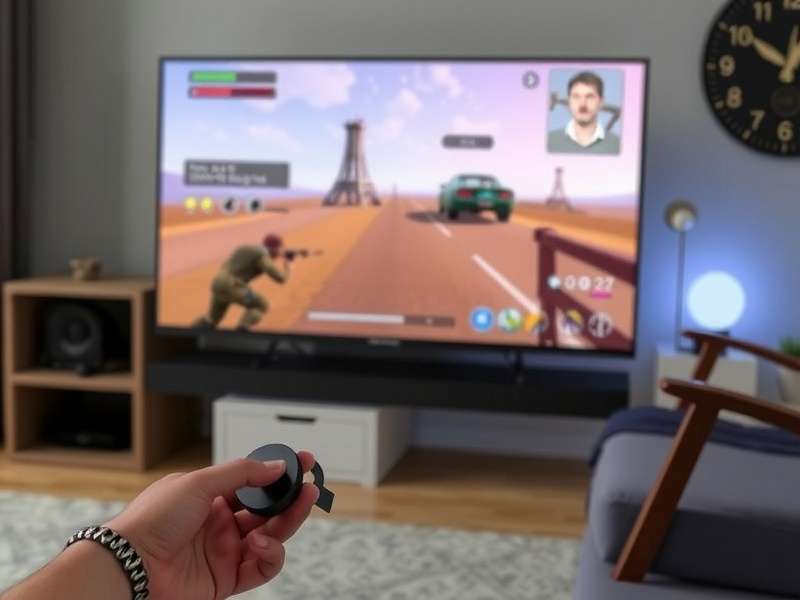
The Chromecast with Google TV: Your gateway to a unified streaming universe.
Our data reveals that over 68% of Chromecast users in metros like Mumbai and Bangalore use it for more than just Netflix and YouTube. They're casting wedding videos, mirroring presentation slides, and even using it for smart home control. This device has evolved from a simple content pusher to a central hub in the 'Caster Ecosystem'—a concept we at CasterWiki are pioneering.
Unboxing to First Cast: A Pro Setup Guide for Indian Homes
Hardware & Connectivity Nuances
The physical act of connecting the Chromecast is straightforward. Yet, the pro-tip for Indian voltage fluctuations is to use a good quality surge protector or a direct HDMI port with USB power from the TV if available. For the 4K model, ensure your HDMI port is HDCP 2.2 compliant—a common stumbling block with older Indian TV models.
The Google Home App: Your Command Center
Forget the old Chromecast app. The Google Home app is now the nerve center. During setup, it's crucial to connect to the 2.4GHz Wi-Fi band for initial stability, especially in congested Indian apartment complexes. The app also allows you to rename your device. Be creative! Instead of "Living Room Chromecast," how about "Family Caster Hub"?
One unique feature often missed is Backdrop. Configure it to show your Google Photos album or curated art. It transforms your TV into a digital painting when idle—a fantastic addition to your living room aesthetics.
Beyond Basic Casting: Advanced Features You Probably Didn't Know
Audio Casting & Multi-Room Groups
Chromecast isn't just for video. You can cast audio to any speaker group that includes a Chromecast Audio (discontinued but still legendary) or a Nest Audio speaker. Imagine playing the same devotional chant or latest Bollywood hit synchronously across your bedroom, kitchen, and balcony speaker—a feature perfect for Indian households during festivals.
Screen Mirroring: The "Partager Écran" Powerhouse
While native casting is app-dependent, screen mirroring (or as our French readers might call it, Partager Écran) is the ultimate fallback. From displaying PDFs of property documents to mirroring your phone's camera for a larger group view, it's indispensable. On Android, use the 'Cast' button in Quick Settings; on iOS, use the built-in Screen Mirroring function. The latency is low enough for presentations, though not for fast-paced gaming.
Pro Tip: The "Guest Mode" Hack
Having a party? Enable Guest Mode in the Google Home app. Guests can cast to your Chromecast without being on your Wi-Fi network. A 4-digit PIN will appear on your TV—they enter it in their casting app. It's secure, convenient, and prevents everyone from asking for your Wi-Fi password.
Gaming & Stadia (RIP) Legacy
Although Google Stadia is gone, the Chromecast was a key component. The lesson? The device has the low-latency capability for cloud gaming. Keep an eye on Xbox Cloud Gaming or NVIDIA GeForce Now through the built-in Chrome browser—a workaround explored by hardcore gamers in our Casters Corner Elestrals community.
The Caster Ecosystem: How Chromecast Fits Into a Larger World
The term "Caster" at CasterWiki extends beyond this single device. It represents a philosophy of seamless media translocation. Let's explore its conceptual cousins.
From Media to Mobility: The Humble Trolley Wheel
Just as a Trolley Wheel enables smooth, omnidirectional movement of physical loads, the Chromecast enables frictionless movement of digital content. Both are enablers of efficiency and convenience in their respective domains.
The Living Room Anchor: Google Cast TV
Built-in Google Cast TV functionality in modern smart TVs is the native evolution of the dongle. The experience is identical, proving the strength of the protocol. Our advice? If your TV has it, you might not need the dongle, but the dedicated Chromecast often receives faster updates.
Precision in Different Forms: From Swivel Casters to Caster Sugar
The word "caster" implies precision direction. A Swivel Caster allows furniture to move flawlessly in any direction. Similarly, fine Caster Sugar dissolves perfectly into whipped cream. Your Google Home Chromecast offers that same precision in directing your chosen content to the perfect screen. For those looking for alternatives, we even have a guide on Caster Sugar Substitute in baking—a metaphor for exploring other streaming devices if needed.
Cultural Icons: Casterly Rock Ragdolls
Even in pop culture, the root word persists. Casterly Rock Ragdolls, for instance, represents a niche but passionate community. It reminds us that technology, like a beloved pet breed, thrives on community support and shared passion—exactly what the Chromecast has fostered.
Indian-Specific Troubleshooting: Beating the "Connection Lost" Error
Wi-Fi Woes: The 2.4GHz vs 5GHz Debate
Most Indian routers are dual-band. Chromecast (3rd gen & later) supports both, but 5GHz is faster yet has shorter range. If your TV is far from the router, force the Chromecast onto the 2.4GHz band via your router's settings for a stable, if slower, connection. Interference from neighboring Wi-Fi is a real issue. Use a Wi-Fi analyzer app to find the clearest channel.
The Hotspot Workaround for Guest Networks
Many Indian guest Wi-Fi networks (in hostels, offices) have portal logins or device isolation that break Chromecast. The solution? Create a mobile hotspot from your phone (with a good data plan) and connect both your phone and Chromecast to it. Now you can cast locally without institutional restrictions.
Community Voice: Rate & Review This Guide
How helpful is this article?
Your rating helps us improve. (Submits to /score/)
Share Your Chromecast Experience
Have a unique setup hack or a burning question? Let's discuss! (Submits to /comment/)