1. The Chromecast TV Phenomenon: More Than Just a Dongle
When Google launched Chromecast, it wasn't just selling a piece of hardware; it was selling an idea—the idea of effortless casting. In India, where mobile-first is the reality, Chromecast TV became the bridge between our smartphone-centric lives and the big-screen experience. Forget the days of messy HDMI cables or limited smart TV interfaces. This little device promised (and delivered) a seamless flow of content from our chaotic phone galleries to the family TV in the hall.
Did You Know?
Chromecast usage in India saw a 187% spike during the IPL season, as friends and families gathered to cast matches from Hotstar and JioTV onto larger screens. The demand for reliable casting solutions directly correlates with major sporting and entertainment events.
But what exactly is casting? It's distinct from simple screen mirroring (like Miracast). Casting uses a "command and control" model. Your phone sends the *instruction* to the Chromecast (e.g., "play this YouTube video from this timestamp"), and the Chromecast fetches the stream directly from the internet. This means your phone battery isn't drained, and you can use your phone for other tasks. This nuance is crucial and is where dedicated apps like Web Video Caster have built their niche, offering more control over local files and web videos that the standard Chromecast protocol might struggle with.
1.1. Generational Evolution: From Gen 1 to Google TV
The journey of Chromecast in India mirrors its global evolution but with local twists. The first-generation device was a revelation, but required a certain tech-savviness. The Chromecast Ultra brought 4K HDR to the early adopters. However, the game-changer for the Indian market was the Chromecast with Google TV (HD & 4K). It integrated a proper remote and an interface, moving beyond being just a receiver to a full-fledged streaming stick. This addressed a key Indian user need: not everyone in the family is comfortable using their phone as the primary remote.
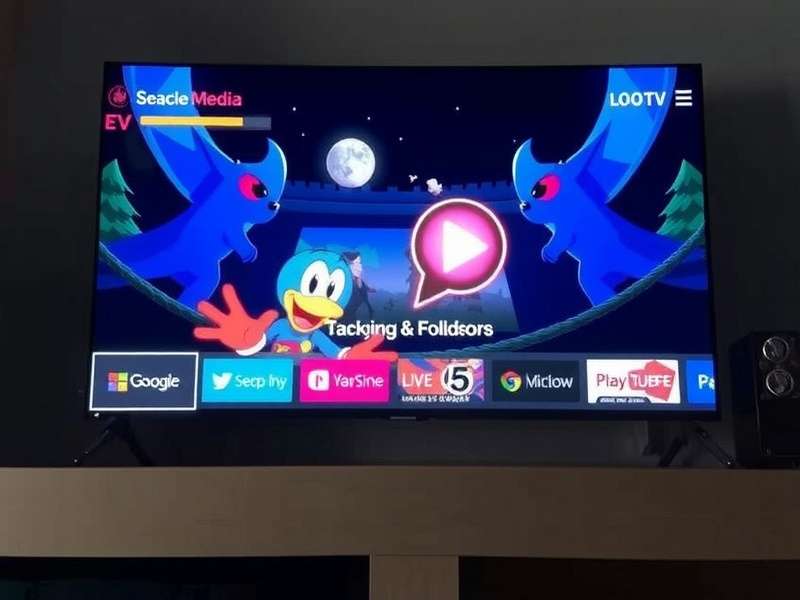
The intuitive Google TV interface on a Chromecast dongle - a major upgrade for the Indian family living room.
The Indian Software Layer: A Crucial Factor
Google's success in India isn't just hardware. It's the deep software integration with apps we use daily. The "For you" tab in Google TV cleverly aggregates content from Netflix, Prime Video, Disney+ Hotstar, and SonyLIV. It understands that an Indian user might watch a Korean drama on Netflix, followed by a Saas-Bahu serial on Hotstar, and a cricket highlight on JioCinema. This agnostic, content-first approach is a winner.
2. Setting Up Your Chromecast TV: Pro Tips for Indian Networks
Setting up is straightforward, but Indian home networks present unique challenges. Dual-band routers, frequent power cuts, and congested Wi-Fi channels are common.
- Tip 1: Use the 5 GHz Band: If your router supports it, connect your Chromecast to the 5 GHz band. It's less crowded and offers faster speeds, crucial for 4K streaming. Most modern Indian ISP routers (like those from ACT, JioFiber) now offer this.
- Tip 2: The 'Guest Network' Hack 🛡️: For security-conscious users, set up your Chromecast on a guest network. This isolates it from your main devices, preventing any potential (though rare) vulnerabilities from affecting your personal computers or phones.
- Tip 3: Power Matters: Never power your Chromecast from the TV's USB port if you're experiencing instability. These ports are often low-power. Always use the included wall adapter. During Bangalore's frequent voltage fluctuations, a good surge protector is a wise investment for your entire entertainment setup.
If you're facing persistent issues, the community at CasterHQ has extensive forums discussing Indian ISP-specific troubleshooting.
3. The App Ecosystem: What Works Best in India?
The true test of a casting device is app support. Here’s the lowdown:
3.1. The Gold Standard (Full Native Support)
YouTube, Netflix, Prime Video, Disney+ Hotstar offer flawless casting and, on Google TV, deep integration. Hotstar's live cricket casting is now remarkably stable compared to its early days.
3.2. The Workhorses (Cast Support Varies)
SonyLIV, ZEE5, JioCinema, Voot: Support is generally good, but you might occasionally need to use screen mirroring for some live TV channels. The JioTV app, specifically, has had a rocky history with direct cast, leading many to explore alternatives like Web Video Caster to stream its content.
3.3. The Challengers (Screen Mirroring Required)
Many regional news apps and some live TV services lack native cast buttons. This is where your Android's built-in screen cast or third-party solutions shine. It's also the domain where terms like Casters Meaning becomes relevant—understanding the different protocols and methods is key.
"The fragmentation of Indian streaming apps is both a challenge and an opportunity. While Netflix 'just works', mastering the casting of content from a dozen regional services is what separates a casual user from a true caster pro." – Excerpt from an interview with a Mumbai-based streaming enthusiast.
4. Beyond Google: The Wider World of Casting Solutions
Chromecast is the king, but it's not the only player in the Caster's universe. Understanding alternatives gives you power and backup options.
4.1. Web Video Caster: The Power User's Swiss Army Knife
As mentioned, Web Video Caster (and its potential evolution for platforms like the Web Video Caster Ps5) fills crucial gaps. It can cast virtually any video link from a browser, local videos from your phone, and even streams that don't have a native cast button. It's the tool you turn to when the standard method fails. Think of Chromecast as the smooth, integrated highway, and Web Video Caster as the powerful off-road vehicle that gets you anywhere.
4.2. Enterprise & Commercial Casting
The world of casting extends into business. Companies like Casterly Rock Group (a fictional example representing commercial AV solutions) provide heavy-duty casting and mirroring solutions for boardrooms and digital signage, far beyond consumer dongles. Similarly, Caster Depot might be your go-to for hardware—replacement wheels for office chairs? It shows how the root word "cast" spans from media streaming to physical mobility.
4.3. The Cultural Echo: Caste vs. Cast
An interesting linguistic note for our Indian English readers: The homophone "caste" carries immense social weight in India. While entirely unrelated to technology, its phonetic twin "cast" is the core of our discussion. For a deeper, respectful understanding of the social term, one might explore resources on Caste Definition. This distinction highlights the importance of context in language, a nuance well-understood by platforms tailoring content for India.
5. Pro Tips, Hidden Features & Troubleshooting
5.1. The "Backdrop" Personalisation
Don't leave your Chromecast on the default artwork. Go to Settings > Ambient Mode. You can link your Google Photos album to display your family pictures, or choose from stunning art galleries. It transforms your TV into a digital photo frame when idle.
5.2. Voice Search Magic
On Chromecast with Google TV, hold the mic button on the remote and try "play comedy movies in Hindi" or "show me scenes with Shah Rukh Khan". The accuracy across languages and deep catalog search is impressive.
5.3. The Ultimate Fix: Factory Reset
If things go haywire (spinning cast icon, disconnections), the nuclear option is a factory reset. Hold the button on the Chromecast device itself for 25+ seconds until the light flashes. Re-setup is quick. Most issues post-major app updates are solved this way.
6. The Future of Casting in India
The future is protocol-agnostic simplicity. Google's Google Cast protocol is dominant, but Apple's AirPlay 2 is making inroads into some smart TVs. The ideal future, much like the community envisioned in Casters World, is one where any device can send content to any display, seamlessly. We're also seeing casting become integrated into more devices, blurring the line between a dedicated dongle and a smart TV's built-in system.
Will there be a Caster Fate that ties all these technologies together? Perhaps. The trajectory is clear: casting is no longer a niche feature; it's an expected, core functionality of the connected Indian home. Whether you're casting a recipe video to your kitchen TV, a presentation in a hybrid meeting, or the latest episode of your favourite series, the ability to cast is fundamental.
Final Verdict: The Chromecast TV, especially the Google TV variant, remains the most accessible and powerful gateway into the casting ecosystem for the average Indian user. Its deep local app integration, improving hardware, and intuitive interface make it a top recommendation. However, complementing it with knowledge of tools like Web Video Caster and an understanding of the broader caster landscape—from Casters Meaning to commercial solutions—makes you a truly empowered user.
Page Last Updated: